Forms are an integral part of the web. Almost every website we visit offers us forms that submit or fetch some information for us. To get started with forms, we will first install the koa-body. To install this, go to your terminal and use −
$ npm install --save koa-body
Replace your app.js file contents with the following code.
var koa = require('koa');
var router = require('koa-router');
var bodyParser = require('koa-body');
var app = koa();

//Set up Pug
var Pug = require('koa-pug');
var pug = new Pug({
   viewPath: './views',
   basedir: './views',
   app: app //Equivalent to app.use(pug)
});

//Set up body parsing middleware
app.use(bodyParser({
   formidable:{uploadDir: './uploads'},
   multipart: true,
   urlencoded: true
}));

_.get('/', renderForm);
_.post('/', handleForm);

function * renderForm(){
   this.render('form');
}
function *handleForm(){
   console.log(this.request.body);
   console.log(this.req.body);
   this.body = this.request.body; //This is where the parsed request is stored
}

app.use(_.routes());
app.listen(3000);
The new things we are doing here are importing the body parser and multer. We are using the body parser for parsing json and x-www-form-urlencoded header requests, while we use multer for parsing multipart/form-data.
Let us create a html form to test this out! Create a new view named form.pug with the following code.
html
   head
  title Form Tester   body
  form(action = "/", method = "POST")
     div
        label(for = "say") Say:
        input(name = "say" value = "Hi")
     br
     div
        label(for = "to") To:
        input(name = "to" value = "Koa form")
     br
     button(type = "submit") Send my greetings</code></pre>


Run your server using −


nodemon index.js


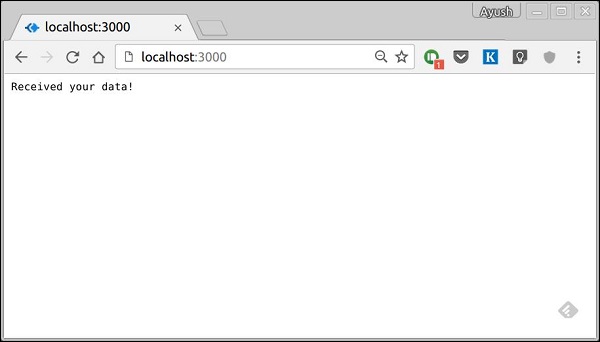
Now go to localhost:3000/ and fill the form as you like, and submit it. You'll receive the response as −


Take a look at your console, it'll show you the body of your request as a JavaScript object. For example −


The this.request.body object contains your parsed request body. To use fields from that object, just use them as normal JS objects.


This is just one way to send a request. There are many other ways, but those are irrelevant to cover here, because our Koa app will handle all those requests in the same way. To read more about different ways to make a request, have a look at this page.
Pug is a templating engine. Templating engines are used to remove the cluttering of our server code with HTML, concatenating strings wildly to existing HTML templates. Pug is a very powerful templating engine, which has a variety of features such as filters, includes, inheritance, interpolation, etc. There is a lot of ground to cover on this.
To use Pug with Koa, we need to install it using the following command.
$ npm install --save pug koa-pug
Once pug is installed, set it as the templating engine for your app. Add the following code to your app.js file.
var koa = require('koa');
var router = require('koa-router');
var app = koa();

var Pug = require('koa-pug');
var pug = new Pug({
   viewPath: './views',
   basedir: './views',
   app: app //Equivalent to app.use(pug)
});

var _ = router(); //Instantiate the router

app.use(_.routes()); //Use the routes defined using the router
app.listen(3000);
Now, create a new directory called views. Inside the directory, create a file named first_view.pug, and enter the following data in it.
doctype html
html
head
title = "Hello Pug"
body
p.greetings#people Hello Views!</code></pre>
To run this page, add the following route to your app.
_.get('/hello', getMessage); // Define routes
function *getMessage(){
this.render('first_view');
};
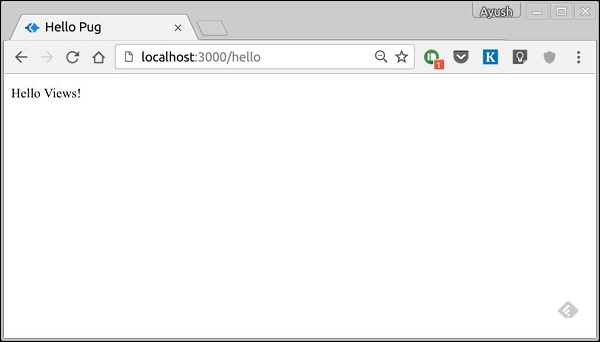
You'll receive the output as −
What Pug does is, it converts this very simple looking markup to html. We don’t need to keep track of closing our tags, no need to use class and id keywords, rather use '.' and '#' to define them. The above code first gets converted to
<!DOCTYPE html>
<html>
<head>
<title>Hello Pug</title>
</head>
<body>
<p class = "greetings" id = "people">Hello Views!</p>
</body>
</html>
Pug is capable of doing much more than simplifying HTML markup. Let’s explore some of these features of Pug.
Simple Tags
Tags are nested according to their indentation. Like in the above example, <title> was indented within the <head> tag, so it was inside it. However, the <body> tag was on the same indentation, thus it was a sibling of <head> tag.
We don’t need to close tags. As soon as Pug encounters the next tag on the same or the outer indentation level, it closes the tag for us.
There are three methods to put text inside of a tag −
Space seperated −
h1 Welcome to Pug
Piped text −
div
| To insert multiline text,
| You can use the pipe operator.
Block of text −
div.
But that gets tedious if you have a lot of text.
You can use "." at the end of tag to denote block of text.
To put tags inside this block, simply enter tag in a new line and
indent it accordingly.
Comments
Pug uses the same syntax as JavaScript(//) for creating comments. These comments are converted to html comments(<!--comment-->). For example,
//This is a Pug comment
This comment gets converted to −
<!--This is a Pug comment-->
Explore our latest online courses and learn new skills at your own pace. Enroll and become a certified expert to boost your career.
Attributes
To define attributes, we use a comma separated list of attributes, in parenthesis. Class and ID attributes have special representations. The following line of code covers defining attributes, classes, and id for a given html tag.
<div class = "container column main" id = "division" width = "100" height = "100"></div>
Passing Values to Templates
When we render a Pug template, we can actually pass it a value from our route handler, which we can then use in our template. Create a new route handler with the following code.
var koa = require('koa');
var router = require('koa-router');
var app = koa();
var Pug = require('koa-pug');
var pug = new Pug({
viewPath: './views',
basedir: './views',
app: app // equals to pug.use(app) and app.use(pug.middleware)
});
var _ = router(); //Instantiate the router
_.get('//dynamic_view', dynamicMessage); // Define routes
function *dynamicMessage(){
this.render('dynamic', {
});
};
app.use(_.routes()); //Use the routes defined using the router
app.listen(3000);
Then, create a new view file in the views directory, named dynamic.pug, using the following code.
html
head
title = name
body
h1 = name
a(href = url) URL</code></pre>
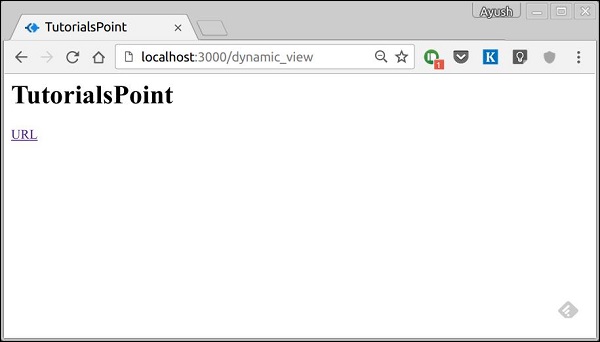
Open localhost:3000/dynamic in your browser and following should be the output. −
We can also use these passed variables within the text. To insert passed variables in between text of a tag, we use #{variableName} syntax. For example, in the above example, if we want to insert Greetings from TutorialsPoint, then we have to use the following code.
html
head
title = name
body
h1 Greetings from #{name}
a(href = url) URL</code></pre>
This method of using values is called interpolation.
Conditionals
We can use conditional statements and looping constructs as well. Consider this practical example, if a user is logged in we would want to display "Hi, User" and if not, then we would want to show him a "Login/Sign Up" link. To achieve this, we can define a simple template such as −
It'll give a message displaying Hi, Ayush. However, if we don’t pass any object or pass one with no user key, then we will get a Sign up link.
Include and Components
Pug provides a very intuitive way to create components for a web page. For example, if you see a news website, the header with logo and categories is always fixed. Instead of copying that to every view, we can use an include. Following example shows how we can use an include −
Create three views with the following code −
header.pug
div.header.
I'm the header for this website.
content.pug
html
head
title Simple template
body
include ./header.pug
h3 I'm the main content
include ./footer.pug</code></pre>
footer.pug
div.footer.
I'm the footer for this website.
Create a route for this as follows.
var koa = require('koa');
var router = require('koa-router');
var app = koa();
var Pug = require('koa-pug');
var pug = new Pug({
viewPath: './views',
basedir: './views',
app: app //Equivalent to app.use(pug)
});
var _ = router(); //Instantiate the router
_.get('/components', getComponents);
function *getComponents(){
this.render('content.pug');
}
app.use(_.routes()); //Use the routes defined using the router
app.listen(3000);
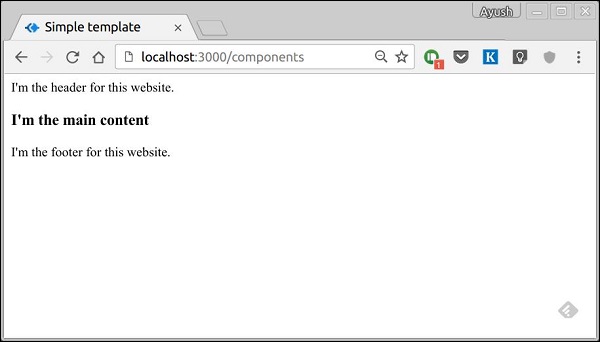
Go to localhost:3000/components, you should get the following output.
include can also be used to include plaintext, CSS and JavaScript.
There are many other features of Pug. However, those are out of the scope for this tutorial. You can further explore Pug at Pug.
Middleware functions are functions that have access to the context object and the next middleware function in the application’s request-response cycle. These functions are used to modify the request and response objects for tasks such as parsing request bodies, adding response headers, etc. Koa goes a step further by yielding ‘downstream’, then flowing the control back ‘upstream’. This effect is called cascading.
Following is a simple example of a middleware function in action.
var koa = require('koa');
var app = koa();
var _ = router();

//Simple request time logger
app.use(function* (next) {
   console.log("A new request received at " + Date.now());

   //This function call is very important. It tells that more processing is
   //required for the current request and is in the next middleware function/route handler.
   yield next;
});

app.listen(3000);
The above middleware is called for every request on the server. Thus after every request, we will get the following message in the console.
A new request received at 1467267512545
To restrict it to a specific route (and all its subroutes), we just need to create the routes like we did for routing. Actually its these middleware only that handle our request.
For example,
var koa = require('koa');
var router = require('koa-router');
var app = koa();

var _ = router();

//Simple request time logger
_.get('/request/*', function* (next) {
   console.log("A new request received at " + Date.now());
   yield next;
});

app.use(_.routes());
app.listen(3000);
Now whenever you request any subroute of ‘/request’, only then it’ll log the time.
Order of Middleware Calls
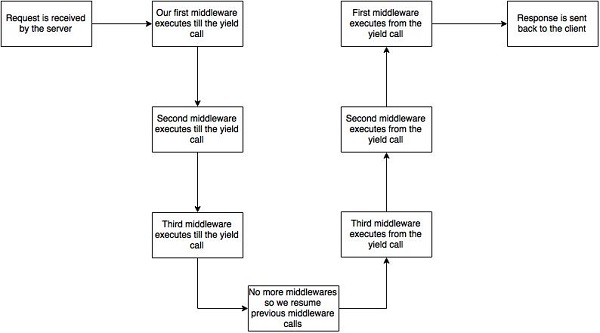
One of the most important things about middleware in Koa is that the order in which they are written/included in your file, are the order in which they are executed downstream. As soon as we hit a yield statement in a middleware, it switches to the next middleware in line, till we reach the last. Then again we start moving back up and resuming functions from yield statements.
For example, in the following code snippet, the first function executes first till yield, then the second middleware till yield, then the third. As we have no more middleware here, we start moving back up, executing in a reverse order, i.e., third, second, first. This example summarizes how to use middleware the Koa way.
var koa = require('koa');
var app = koa();

//Order of middlewares
app.use(first);
app.use(second);
app.use(third);

function *first(next) {
   console.log("I'll be logged first. ");

   //Now we yield to the next middleware
   yield next;

   //We'll come back here at the end after all other middlewares have ended
   console.log("I'll be logged last. ");
};

function *second(next) {
   console.log("I'll be logged second. ");
   yield next;
   console.log("I'll be logged fifth. ");
};

function *third(next) {
   console.log("I'll be logged third. ");
   yield next;
   console.log("I'll be logged fourth. ");
};

app.listen(3000);
When we visit ‘/’ after running this code, on our console we will get −
I'll be logged first.
I'll be logged second.
I'll be logged third.
I'll be logged fourth.
I'll be logged fifth.
I'll be logged last.
The following diagram summarizes what is actually happening in the above example.
Now that we know how to create our own middleware, let us discuss some of the most commonly used community created middleware.
Third Party Middleware
A list of third party middleware for express is available here. Following are some of the most commonly used middleware −
koa-bodyparser
koa-router
koa-static
koa-compress
We’ll discuss multiple middleware in the subsequent chapters.
Error handling plays an important part in building web applications. Koa uses middleware for this purpose as well.
In Koa, you add a middleware that does try { yield next } as one of the first middleware. If we encounter any error downstream, we return to the associated catch clause and handle the error here. For example −
var koa = require('koa');
var app = koa();
//Error handling middleware
app.use(function *(next) {
try {
}
});
//Create an error in the next middleware
//Set the error message and status code and throw it using context object
app.use(function *(next) {
//This will set status and message
this.throw('Error Message', 500);
});
app.listen(3000);
We have deliberately created an error in the above code and are handling the error in our first middleware’s catch block. This is then emitted to our console as well as sent as the response to our client. Following is the error message we get when we trigger this error.
InternalServerError: Error Message
at Object.module.exports.throw
at Object.<anonymous> (/home/ayushgp/learning/koa.js/error.js:18:13)
at next (native)
at onFulfilled (/home/ayushgp/learning/koa.js/node_modules/co/index.js:65:19)
at /home/ayushgp/learning/koa.js/node_modules/co/index.js:54:5
at Object.co (/home/ayushgp/learning/koa.js/node_modules/co/index.js:50:10)
at Object.toPromise (/home/ayushgp/learning/koa.js/node_modules/co/index.js:118:63)
at next (/home/ayushgp/learning/koa.js/node_modules/co/index.js:99:29)
at onFulfilled (/home/ayushgp/learning/koa.js/node_modules/co/index.js:69:7)
at /home/ayushgp/learning/koa.js/node_modules/co/index.js:54:5
Right now any request sent to the server will result in this error.
Redirection is very important when creating websites. If a malformed URL is requested or there are some errors on your server, you should redirect them to the respective error pages. Redirects can also be used to keep people out of restricted areas of your website.
Let us create an error page and redirect to that page whenever someone requests a malformed URL.
var koa = require('koa');
var router = require('koa-router');
var app = koa();
var _ = router();

_.get('/not_found', printErrorMessage);
_.get('/hello', printHelloMessage);

app.use(_.routes());
app.use(handle404Errors);

function *printErrorMessage() {
   this.status = 404;
   this.body = "Sorry we do not have this resource.";
}
function *printHelloMessage() {
   this.status = 200;
   this.body = "Hey there!";
}
function *handle404Errors(next) {
   if (404 != this.status) return;
   this.redirect('/not_found');
}
app.listen(3000);
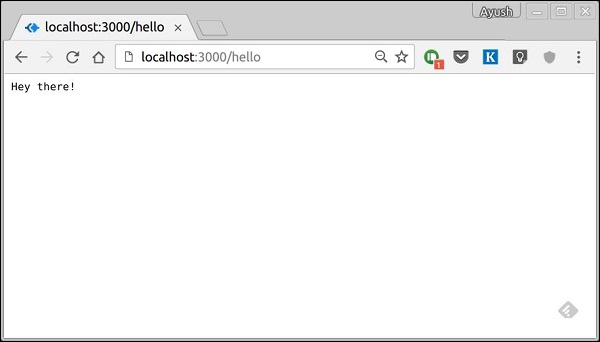
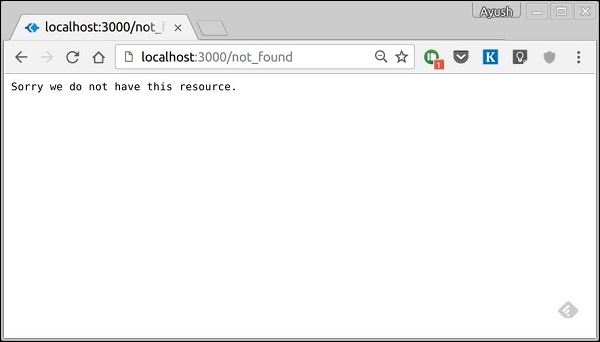
When we run this code and navigate to any route other than /hello, we’ll be redirected to /not_found. We have placed the middleware at the end (app.use function call to this middleware). This ensures we reach the middleware at last and send the corresponding response. Following are the results we see when we run the above code.
When we navigate to https://localhost:3000/hello, we get −
A Koa Response object is an abstraction on top of node’s vanilla response object, providing additional functionality that is useful for everyday HTTP server development. The Koa response object is embedded in the context object, this. Let’s log out the response object whenever we get a request.
var koa = require('koa');
var router = require('koa-router');
var app = koa();

var _ = router();

_.get('/hello', getMessage);

function *getMessage(){
   this.body = 'Your request has been logged.';
   console.log(this.response);
}

app.use(_.routes());
app.listen(3000);
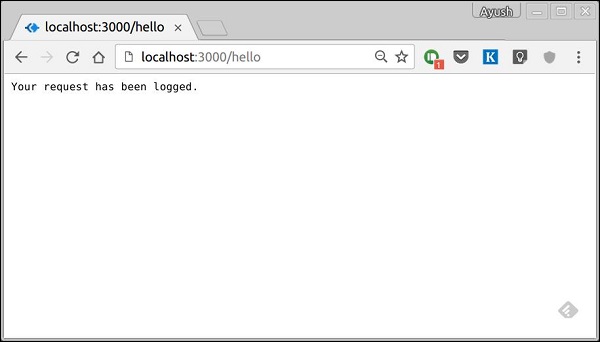
When you run this code and navigate to https://localhost:3000/hello then you’ll receive the following response.
On your console, you’ll get the request object logged out.
The status and message are automatically set by Koa but can be modified by us. If we don’t set the response body, the status code is set to 404. Once we set the response body, the status is set to 200 by default. We can explicitly override this behavior.
We have access to many useful properties of the response using this object. Let us look at some examples −
response.header
Provides all the response headers.
response.status
Provides the response status (200, 404, 500, etc). This property is also used to set the response status.
Explore our latest online courses and learn new skills at your own pace. Enroll and become a certified expert to boost your career.
response.message
Provides the response message. This property is also used to set custom messages with responses. It is associated with response.status.
response.body
Get or set the response body. Usually, we access it using the context object. This is just another way to access it. The body could be of the type: String, Buffer, Stream, Object or Null.
response.type
Get or set the content type of the current response.
response.get(field)
This function is used to get the values of headers with case insensitive value field.
response.set(field, value)
This function is used to set a header on the response using field and value pair.
response.remove(field)
This function is used to unset a header on the response using a field name.
You can read more about the response object in the docs at Response.
A Koa Request object is an abstraction on top of node’s vanilla request object, providing additional functionality that is useful for everyday HTTP server development. The Koa request object is embedded in the context object, this. Let’s log out the request object whenever we get a request.
var koa = require('koa');
var router = require('koa-router');
var app = koa();

var _ = router();

_.get('/hello', getMessage);

function *getMessage(){
   console.log(this.request);
   this.body = 'Your request has been logged.';
}
app.use(_.routes());
app.listen(3000);
When you run this code and navigate to https://localhost:3000/hello, then you will receive the following response.
On your console, you’ll get the request object logged out.
We have access to many useful properties of the request using this object. Let us look at some examples.
request.header
Provides all the request headers.
request.method
Provides the request method(GET, POST, etc.)
Explore our latest online courses and learn new skills at your own pace. Enroll and become a certified expert to boost your career.
request.href
Provides the full request URL.
request.path
Provides the path of the request. Without query string and base url.
request.query
Gives the parsed query string. For example, if we log this on a request such as https://localhost:3000/hello/?name=Ayush&age=20&country=India, then we’ll get the following object.
{
   name: 'Ayush',
   age: '20',
   country: 'India'
}
request.accepts(type)
This function returns true or false based on whether the requested resources accept the given request type.
You can read more about the request object in the docs at Request.
The HTTP method is supplied in the request and specifies the operation that the client has requested. The following table summarizes the commonly used HTTP methods.
Sr.No.
Method & Description
1
GETThe GET method requests a representation of the specified resource. Requests using GET should only retrieve data and should have no other effect.
2
POSTThe POST method requests that the server accept the data enclosed in the request as a new object/entity of the resource identified by the URI.
3
PUTThe PUT method requests that the server accept the data enclosed in the request as a modification to the existing object identified by the URI. If it does not exist, then PUT method should create one.
4
DELETEThe DELETE method requests that the server delete the specified resource.
These are the most common HTTP methods. To learn more about them, head over to https://www.tutorialspoint.com/http/http_methods.htm.
We can now define routes; they are either static or fixed. To use dynamic routes, we need to provide different types of routes. Using dynamic routes allow us to pass parameters and process based on them. Following is an example of a dynamic route.
var koa = require('koa');
var router = require('koa-router');
var app = koa();

var _ = router();

_.get('/:id', sendID);

function *sendID() {
   this.body = 'The id you specified is ' + this.params.id;
}

app.use(_.routes());
app.listen(3000);
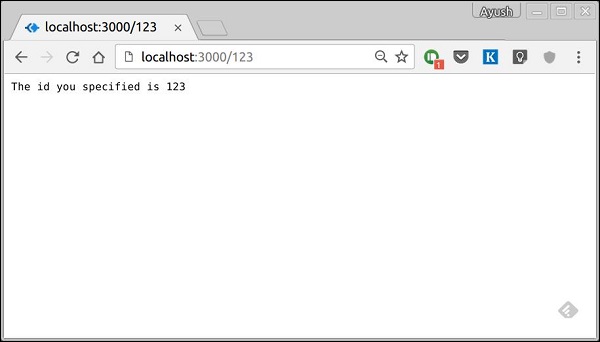
To test this go to https://localhost:3000/123. You will get the following response.
You can replace ‘123’ in the URL with anything else and it’ll be reflected in the response. Following is a complex example of the above.
var koa = require('koa');
var router = require('koa-router');
var app = koa();

var _ = router();

_.get('/things/:name/:id', sendIdAndName);

function *sendIdAndName(){
   this.body = 'id: ' + this.params.id + ' and name: ' + this.params.name;
};

app.use(_.routes());

app.listen(3000);
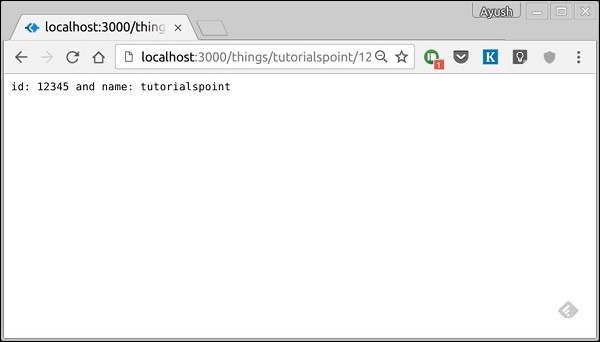
To test this go to https://localhost:3000/things/tutorialspoint/12345.
You can use the this.params object to access all the parameters you pass in the URL. Note that the above two have different paths. They will never overlap. Also if you want to execute the code when you get ‘/things’, then you need to define it separately.
Pattern Matched Routes
You can also use regex to restrict URL parameter matching. Let’s say you need the id to be five digits long number. You can use the following route definition.
var koa = require('koa');
var router = require('koa-router');
var app = koa();

var _ = router();

_.get('/things/:id([0-9]{5})', sendID);

function *sendID(){
   this.body = 'id: ' + this.params.id;
}

app.use(_.routes());
app.listen(3000);
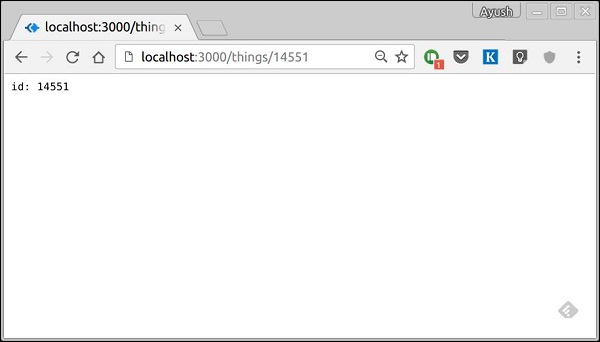
Note that this will only match the requests that have a 5-digit long id. You can use more complex regexes to match/validate your routes. If none of your routes match the request, you’ll get a Not found message as response.
For example, if we define the same routes as above, on requesting with a valid URL, we get −
Web frameworks provide resources such as HTML pages, scripts, images, etc. at different routes. Koa does not support routes in the core module. We need to use the Koa-router module to easily create routes in Koa. Install this module using the following command.
npm install --save koa-router
Now that we have Koa-router installed, let’s look at a simple GET route example.
var koa = require('koa');
var router = require('koa-router');
var app = koa();

var _ = router();              //Instantiate the router
_.get('/hello', getMessage);   // Define routes

function *getMessage() {
   this.body = "Hello world!";
};

app.use(_.routes());           //Use the routes defined using the router
app.listen(3000);
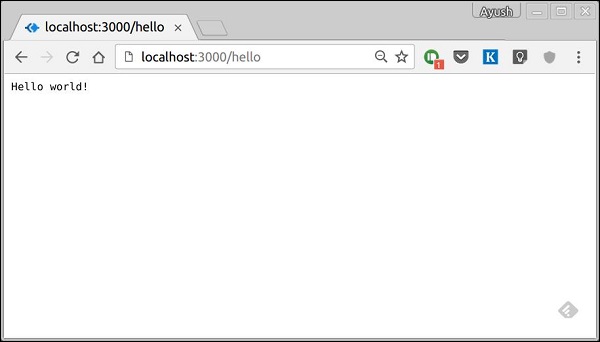
If we run our application and go to localhost:3000/hello, the server receives a get request at route “/hello”. Our Koa app executes the callback function attached to this route and sends “Hello World!” as the response.
We can also have multiple different methods at the same route. For example,
var koa = require('koa');
var router = require('koa-router');
var app = koa();

var _ = router(); //Instantiate the router

_.get('/hello', getMessage);
_.post('/hello', postMessage);

function *getMessage() {
	this.body = "Hello world!";
};
function *postMessage() {
   this.body = "You just called the post method at '/hello'!\n";
};
app.use(_.routes()); //Use the routes defined using the router
app.listen(3000);
To test this request, open your terminal and use cURL to execute the following request
curl -X POST "https://localhost:3000/hello"
A special method, all, is provided by express to handle all types of http methods at a particular route using the same function. To use this method, try the following −
_.all('/test', allMessage);

function *allMessage(){
   this.body = "All HTTP calls regardless of the verb will get this response";
};