Category: 05. On-Page SEO

https://encrypted-tbn0.gstatic.com/images?q=tbn:ANd9GcSNen5WibsWbliFFBEuTlF2L1rL0YMdWDd8PQ&s

  • Write a compelling title tag

    Title tags are often the main piece of information used to decide which search result to click on. More often than not, that hinges on having a great title.

    Google rewrites title tags 61.6% of the time (most often for titles that are very short or very long). But these are usually small changes, so it’s worth spending time making your title as compelling as possible.

    Here are a few tips for writing titles:

    • Keep them short—under 70 characters is best to avoid truncation.
    • Match search intent – tell searchers you have what they want.
    • Harness the curiosity gap—but don’t create misleading clickbait that isn’t reflective of the article’s contents.
    • Include the keyword—or a close variation if it makes more sense.
    • Include the year for topics that demand freshness—like tax allowance 2024.
    • Do something to stand out—show a sense of humour, or respond to other articles in the SERP.
    • If in doubt, use the ABC formula—adjective, benefit, confidence booster.

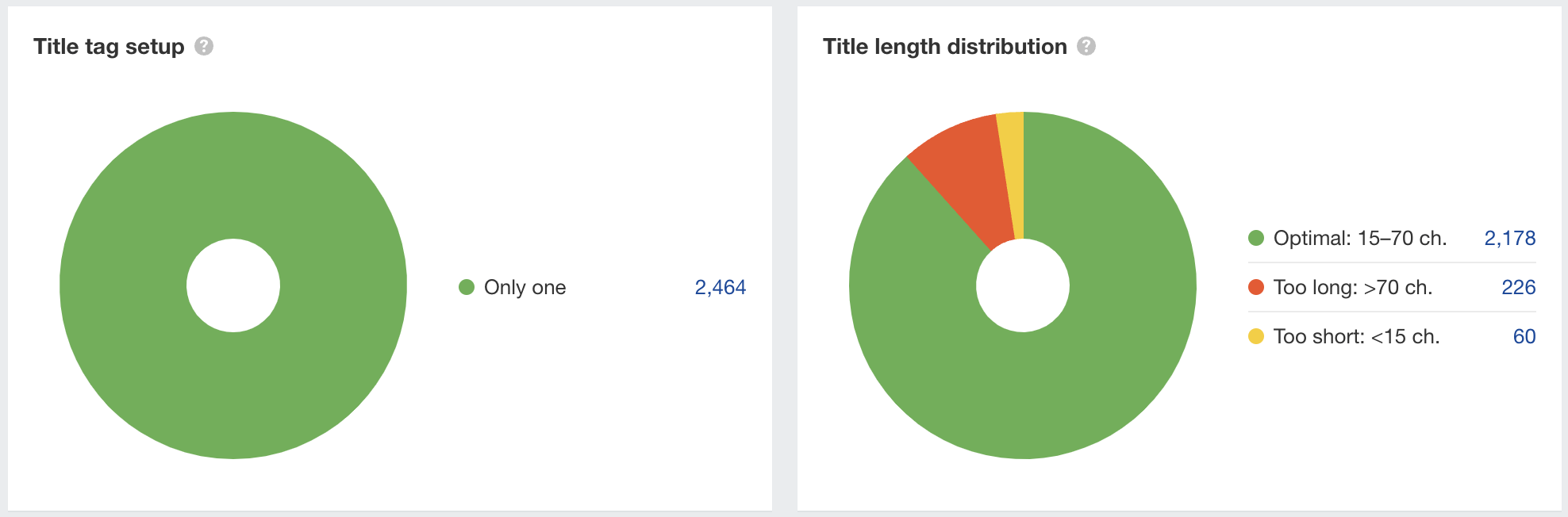
    You should set a title tag on every indexable page. If you like, you can use Ahrefs’ Site Audit to find pages with title tag issues like being empty or too long. Once you’ve signed up and crawled your site (it’s free), go to the Content report to check for issues.

    Here we can see 226 page titles that are too long, and at risk of getting truncated:
  • Use header tags to structure your page

    HTML header tags help Google understand the content on your pages, and break it up into logical, easily skimmed sections.

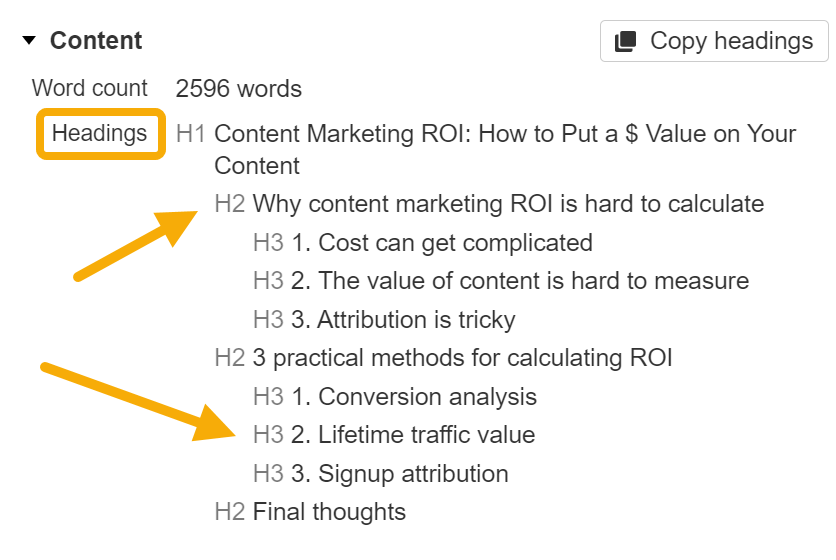
    Header tags look like this—<h2>Header goes here</h2>—in your page’s code. You can use the Ahrefs toolbar to quickly see how header tags are used on a page:

    As a general guide, try to:

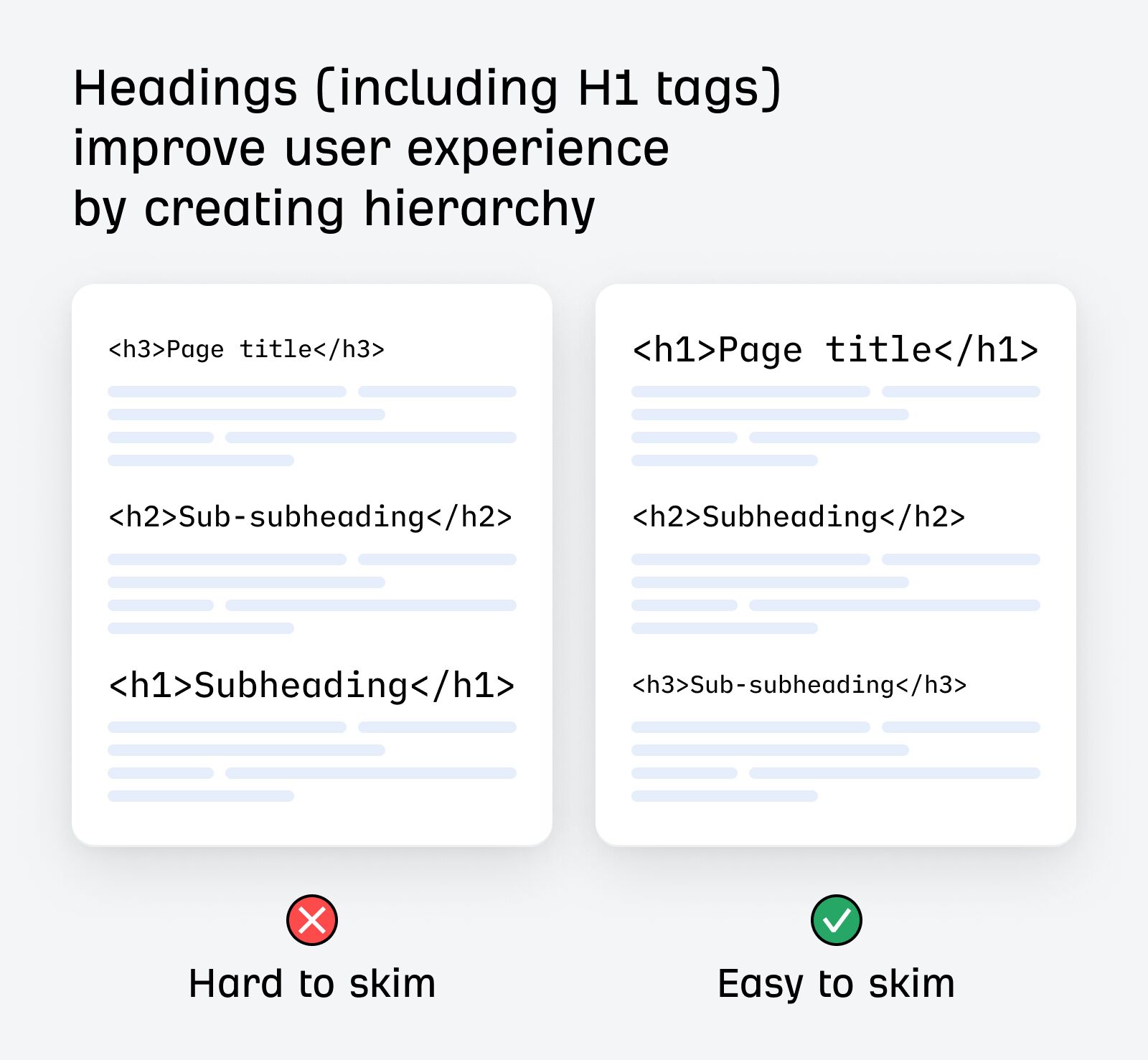
    • Use one <h1> tag per page.
    • Use <h2> tags for your page’s main points. 
    • Use <h3> tags (and beyond) for sections that support your main points, like examples or related ideas.

    As an added benefit, good use of subheadings will improve the readability of your content, making it easier to see, at a glance, what each section is about:

  • Include your target keyword in relevant places

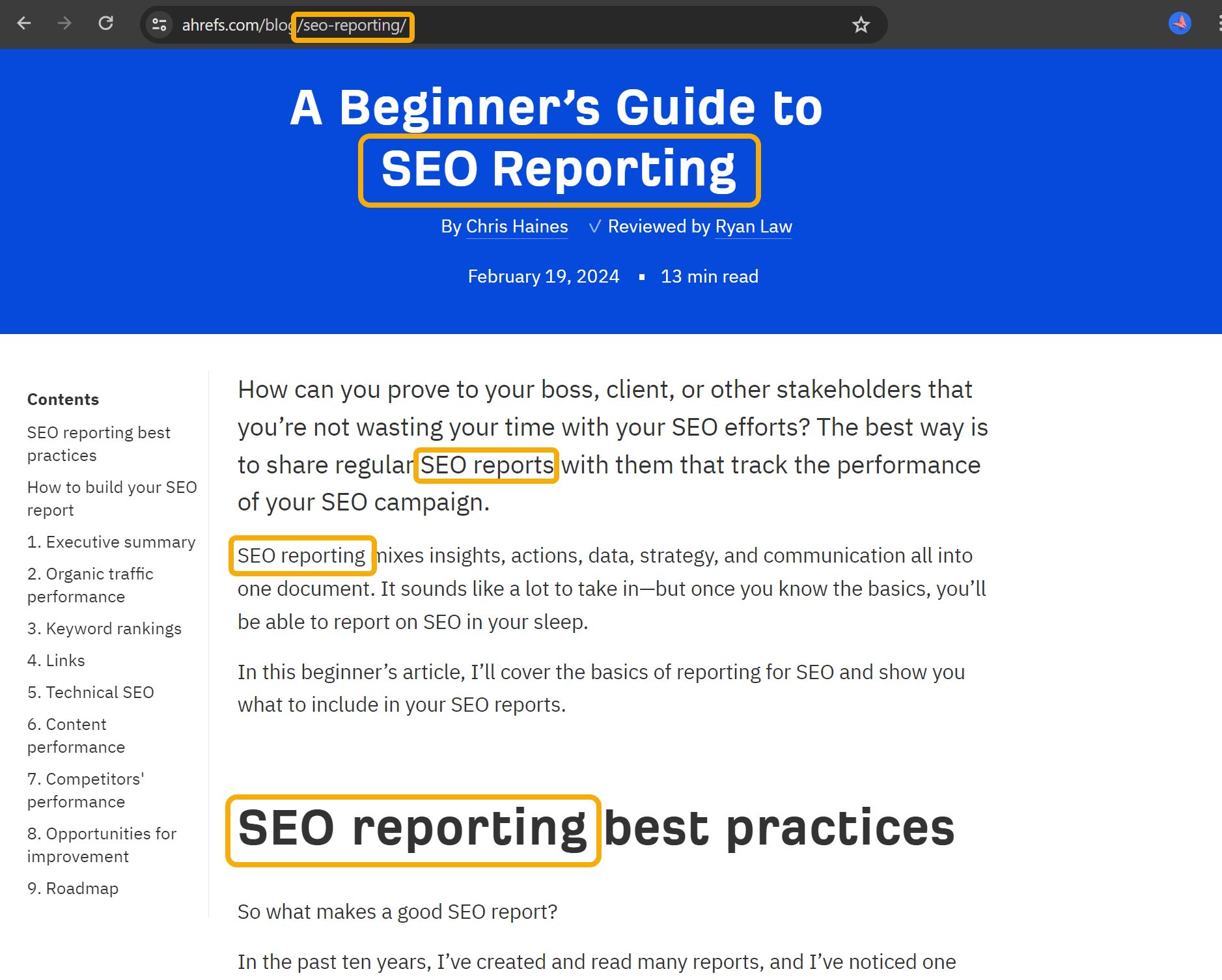
    Including your target keyword within key elements of your page will help Google (and your readers) understand what the page is about:

    • Page title
    • URL
    • Main header (H1)
    • Subheaders (some of your H2s, H3s, etc.)
    • Intro paragraph

    Or put another way: it would be weird to write an article on “brewing espresso” without mentioning the phrase “brewing espresso” in the title or introduction.

    It helps to include some exact-match keywords in these important locations, but Google is also smart enough to recognize synonyms and related keywords. If your target keyword is three or four words long, you don’t need to include it as an exact match every time.

    There’s no magic keyword density to aim for, and including lots of keywords in unnatural ways can actually hurt your performance (it’s called keyword stuffing).

    Your goal here is to clearly and consistently tell Google (and your readers) precisely what your article is about.