Category: 02. Koa Js

https://cdn3d.iconscout.com/3d/free/thumb/free-nodejs-3d-icon-download-in-png-blend-fbx-gltf-file-formats–node-js-open-source-code-logos-and-brands-pack-icons-9325317.png?f=webp

  • Error Handling

    Error handling plays an important part in building web applications. Koa uses middleware for this purpose as well.

    In Koa, you add a middleware that does try { yield next } as one of the first middleware. If we encounter any error downstream, we return to the associated catch clause and handle the error here. For example −

    var koa = require('koa');
    var app = koa();
    
    //Error handling middleware
    app.use(function *(next) {
       try {
    
      yield next;
    } catch (err) {
      this.status = err.status || 500;
      this.body = err.message;
      this.app.emit('error', err, this);
    } }); //Create an error in the next middleware //Set the error message and status code and throw it using context object app.use(function *(next) { //This will set status and message this.throw('Error Message', 500); }); app.listen(3000);

    We have deliberately created an error in the above code and are handling the error in our first middleware’s catch block. This is then emitted to our console as well as sent as the response to our client. Following is the error message we get when we trigger this error.

    InternalServerError: Error Message
       at Object.module.exports.throw 
    
      (/home/ayushgp/learning/koa.js/node_modules/koa/lib/context.js:91:23)
    at Object.<anonymous> (/home/ayushgp/learning/koa.js/error.js:18:13) at next (native) at onFulfilled (/home/ayushgp/learning/koa.js/node_modules/co/index.js:65:19) at /home/ayushgp/learning/koa.js/node_modules/co/index.js:54:5 at Object.co (/home/ayushgp/learning/koa.js/node_modules/co/index.js:50:10) at Object.toPromise (/home/ayushgp/learning/koa.js/node_modules/co/index.js:118:63) at next (/home/ayushgp/learning/koa.js/node_modules/co/index.js:99:29) at onFulfilled (/home/ayushgp/learning/koa.js/node_modules/co/index.js:69:7) at /home/ayushgp/learning/koa.js/node_modules/co/index.js:54:5

    Right now any request sent to the server will result in this error.
  • Redirects

    Redirection is very important when creating websites. If a malformed URL is requested or there are some errors on your server, you should redirect them to the respective error pages. Redirects can also be used to keep people out of restricted areas of your website.

    Let us create an error page and redirect to that page whenever someone requests a malformed URL.

    var koa = require('koa');
    var router = require('koa-router');
    var app = koa();
    var _ = router();
    
    _.get('/not_found', printErrorMessage);
    _.get('/hello', printHelloMessage);
    
    app.use(_.routes());
    app.use(handle404Errors);
    
    function *printErrorMessage() {
       this.status = 404;
       this.body = "Sorry we do not have this resource.";
    }
    function *printHelloMessage() {
       this.status = 200;
       this.body = "Hey there!";
    }
    function *handle404Errors(next) {
       if (404 != this.status) return;
       this.redirect('/not_found');
    }
    app.listen(3000);

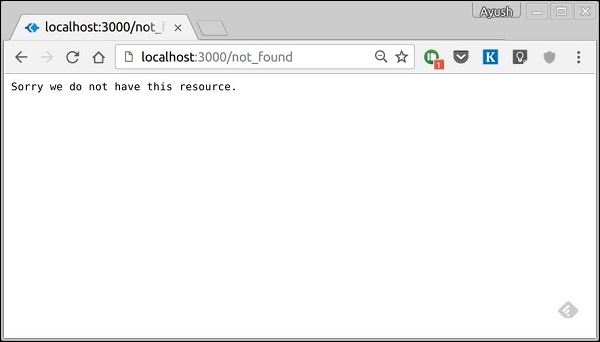
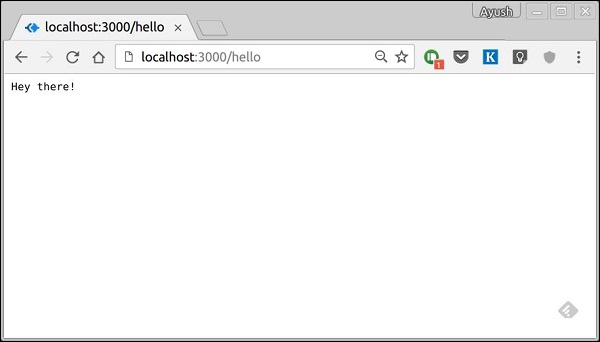
    When we run this code and navigate to any route other than /hello, we’ll be redirected to /not_found. We have placed the middleware at the end (app.use function call to this middleware). This ensures we reach the middleware at last and send the corresponding response. Following are the results we see when we run the above code.

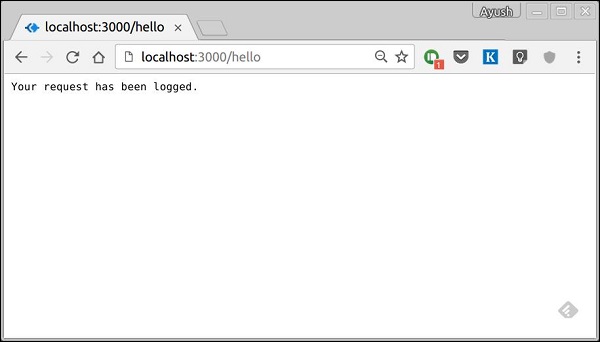
    When we navigate to https://localhost:3000/hello, we get −

    Redirect Hello

    If we navigate to any other route, we get −

    Redirect Error
  • Response Object

    A Koa Response object is an abstraction on top of node’s vanilla response object, providing additional functionality that is useful for everyday HTTP server development. The Koa response object is embedded in the context object, this. Let’s log out the response object whenever we get a request.

    var koa = require('koa');
    var router = require('koa-router');
    var app = koa();
    
    var _ = router();
    
    _.get('/hello', getMessage);
    
    function *getMessage(){
       this.body = 'Your request has been logged.';
       console.log(this.response);
    }
    
    app.use(_.routes());
    app.listen(3000);

    When you run this code and navigate to https://localhost:3000/hello then you’ll receive the following response.

    Request Object

    On your console, you’ll get the request object logged out.

    { 
       status: 200,
       message: 'OK',
       header: 
       {
    
      'content-type': 'text/plain; charset=utf-8',
      'content-length': '12' 
    }, body: 'Your request has been logged.' }

    The status and message are automatically set by Koa but can be modified by us. If we don’t set the response body, the status code is set to 404. Once we set the response body, the status is set to 200 by default. We can explicitly override this behavior.

    We have access to many useful properties of the response using this object. Let us look at some examples −

    response.header

    Provides all the response headers.

    response.status

    Provides the response status (200, 404, 500, etc). This property is also used to set the response status.

    Explore our latest online courses and learn new skills at your own pace. Enroll and become a certified expert to boost your career.

    response.message

    Provides the response message. This property is also used to set custom messages with responses. It is associated with response.status.

    response.body

    Get or set the response body. Usually, we access it using the context object. This is just another way to access it. The body could be of the type: String, Buffer, Stream, Object or Null.

    response.type

    Get or set the content type of the current response.

    response.get(field)

    This function is used to get the values of headers with case insensitive value field.

    response.set(field, value)

    This function is used to set a header on the response using field and value pair.

    response.remove(field)

    This function is used to unset a header on the response using a field name.

    You can read more about the response object in the docs at Response.

  • Request Object

    A Koa Request object is an abstraction on top of node’s vanilla request object, providing additional functionality that is useful for everyday HTTP server development. The Koa request object is embedded in the context object, this. Let’s log out the request object whenever we get a request.

    var koa = require('koa');
    var router = require('koa-router');
    var app = koa();
    
    var _ = router();
    
    _.get('/hello', getMessage);
    
    function *getMessage(){
       console.log(this.request);
       this.body = 'Your request has been logged.';
    }
    app.use(_.routes());
    app.listen(3000);

    When you run this code and navigate to https://localhost:3000/hello, then you will receive the following response.

    Request Object

    On your console, you’ll get the request object logged out.

    { 
       method: 'GET',
       url: '/hello/',
       header: 
       { 
    
      host: 'localhost:3000',
      connection: 'keep-alive',
      'upgrade-insecure-requests': '1',
      'user-agent': 'Mozilla/5.0 (X11; Linux x86_64) 
         AppleWebKit/537.36 (KHTML, like Gecko) Chrome/52.0.2743.116 Safari/537.36',
      accept: 'text/html,application/xhtml+xml,
         application/xml;q = 0.9,image/webp,*/*;q = 0.8',
      dnt: '1',
      'accept-encoding': 'gzip, deflate, sdch',
      'accept-language': 'en-US,en;q = 0.8' 
    } }

    We have access to many useful properties of the request using this object. Let us look at some examples.

    request.header

    Provides all the request headers.

    request.method

    Provides the request method(GET, POST, etc.)

    Explore our latest online courses and learn new skills at your own pace. Enroll and become a certified expert to boost your career.

    request.href

    Provides the full request URL.

    request.path

    Provides the path of the request. Without query string and base url.

    request.query

    Gives the parsed query string. For example, if we log this on a request such as https://localhost:3000/hello/?name=Ayush&age=20&country=India, then we’ll get the following object.

    {
       name: 'Ayush',
       age: '20',
       country: 'India'
    }
    

    request.accepts(type)

    This function returns true or false based on whether the requested resources accept the given request type.

    You can read more about the request object in the docs at Request.

  •  HTTP Methods

    The HTTP method is supplied in the request and specifies the operation that the client has requested. The following table summarizes the commonly used HTTP methods.

    Sr.No.Method & Description
    1GETThe GET method requests a representation of the specified resource. Requests using GET should only retrieve data and should have no other effect.
    2POSTThe POST method requests that the server accept the data enclosed in the request as a new object/entity of the resource identified by the URI.
    3PUTThe PUT method requests that the server accept the data enclosed in the request as a modification to the existing object identified by the URI. If it does not exist, then PUT method should create one.
    4DELETEThe DELETE method requests that the server delete the specified resource.

    These are the most common HTTP methods. To learn more about them, head over to https://www.tutorialspoint.com/http/http_methods.htm.

  • URL Building

    We can now define routes; they are either static or fixed. To use dynamic routes, we need to provide different types of routes. Using dynamic routes allow us to pass parameters and process based on them. Following is an example of a dynamic route.

    var koa = require('koa');
    var router = require('koa-router');
    var app = koa();
    
    var _ = router();
    
    _.get('/:id', sendID);
    
    function *sendID() {
       this.body = 'The id you specified is ' + this.params.id;
    }
    
    app.use(_.routes());
    app.listen(3000);

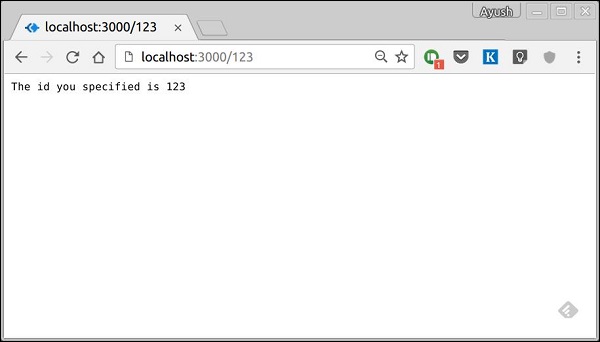
    To test this go to https://localhost:3000/123. You will get the following response.

    URL Building ID

    You can replace ‘123’ in the URL with anything else and it’ll be reflected in the response. Following is a complex example of the above.

    var koa = require('koa');
    var router = require('koa-router');
    var app = koa();
    
    var _ = router();
    
    _.get('/things/:name/:id', sendIdAndName);
    
    function *sendIdAndName(){
       this.body = 'id: ' + this.params.id + ' and name: ' + this.params.name;
    };
    
    app.use(_.routes());
    
    app.listen(3000);

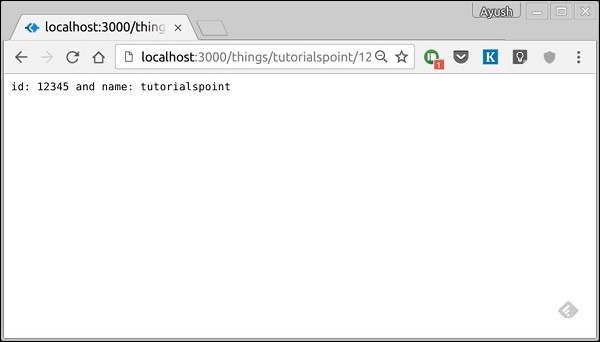
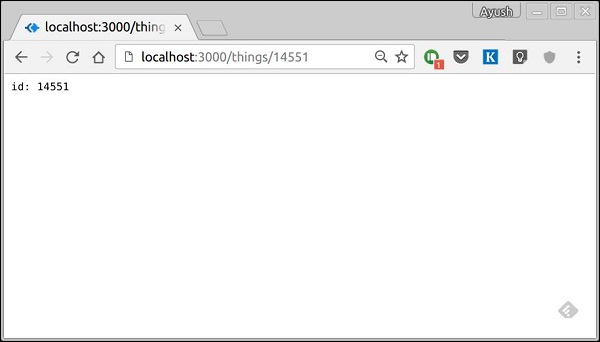
    To test this go to https://localhost:3000/things/tutorialspoint/12345.

    URL Building Complex

    You can use the this.params object to access all the parameters you pass in the URL. Note that the above two have different paths. They will never overlap. Also if you want to execute the code when you get ‘/things’, then you need to define it separately.

    Pattern Matched Routes

    You can also use regex to restrict URL parameter matching. Let’s say you need the id to be five digits long number. You can use the following route definition.

    var koa = require('koa');
    var router = require('koa-router');
    var app = koa();
    
    var _ = router();
    
    _.get('/things/:id([0-9]{5})', sendID);
    
    function *sendID(){
       this.body = 'id: ' + this.params.id;
    }
    
    app.use(_.routes());
    app.listen(3000);

    Note that this will only match the requests that have a 5-digit long id. You can use more complex regexes to match/validate your routes. If none of your routes match the request, you’ll get a Not found message as response.

    For example, if we define the same routes as above, on requesting with a valid URL, we get −

    URL Matching Correct
  • Routing

    Web frameworks provide resources such as HTML pages, scripts, images, etc. at different routes. Koa does not support routes in the core module. We need to use the Koa-router module to easily create routes in Koa. Install this module using the following command.

    npm install --save koa-router
    

    Now that we have Koa-router installed, let’s look at a simple GET route example.

    var koa = require('koa');
    var router = require('koa-router');
    var app = koa();
    
    var _ = router();              //Instantiate the router
    _.get('/hello', getMessage);   // Define routes
    
    function *getMessage() {
       this.body = "Hello world!";
    };
    
    app.use(_.routes());           //Use the routes defined using the router
    app.listen(3000);

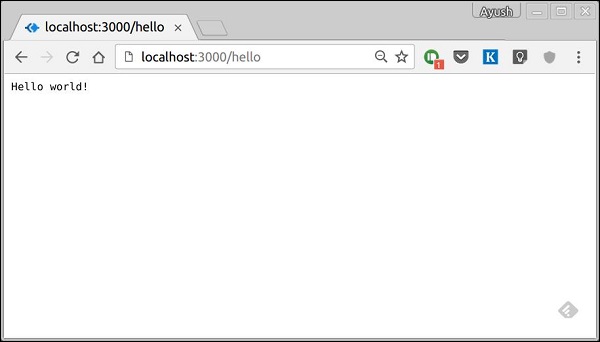
    If we run our application and go to localhost:3000/hello, the server receives a get request at route “/hello”. Our Koa app executes the callback function attached to this route and sends “Hello World!” as the response.

    Routing Hello

    We can also have multiple different methods at the same route. For example,

    var koa = require('koa');
    var router = require('koa-router');
    var app = koa();
    
    var _ = router(); //Instantiate the router
    
    _.get('/hello', getMessage);
    _.post('/hello', postMessage);
    
    function *getMessage() {
    	this.body = "Hello world!";
    };
    function *postMessage() {
       this.body = "You just called the post method at '/hello'!\n";
    };
    app.use(_.routes()); //Use the routes defined using the router
    app.listen(3000);

    To test this request, open your terminal and use cURL to execute the following request

    curl -X POST "https://localhost:3000/hello"
    
    Curl Routing

    A special method, all, is provided by express to handle all types of http methods at a particular route using the same function. To use this method, try the following −

    _.all('/test', allMessage);
    
    function *allMessage(){
       this.body = "All HTTP calls regardless of the verb will get this response";
    };
  • Generators

    One of the most exciting new features of JavaScript ES6 is a new breed of function, called a generator. Before generators, the whole script was used to usually execute in a top to bottom order, without an easy way to stop code execution and resuming with the same stack later. Generators are functions which can be exited and later re-entered. Their context (variable bindings) will be saved across re-entrances.

    Generators allow us to stop code execution in between. Hence, let’s take a look at a simple generator.

    var generator_func = function* (){
       yield 1;
       yield 2;
    };
    
    var itr = generator_func();
    console.log(itr.next());
    console.log(itr.next());
    console.log(itr.next());

    When running the above code, following will be the result.

    { value: 1, done: false }
    { value: 2, done: false }
    { value: undefined, done: true }
    

    Let’s look inside the above code. We first create a generator called generator_func(). We created an instance of this weird looking function and assigned it to itr. Then we started calling next() on this itr variable.

    Calling next() starts the generator and it runs until it hits a yield. Then it returns the object with value and done, where the value has the expression value. This expression can be anything. At this point, it pauses execution. Again when we call this function(next), the generator resumes execution from the last yield point with the function state being the same at the time of pause, till the next yield point. This is done till there are no more yield points in the code.

    Generators in Koa

    So why are we discussing generators in this tutorial. As you might remember from the hello world program, we used a function* () notation to pass a callback to app.use(). Koa is an object, which contains an array of middleware generator functions, all of which are composed and executed in a stack-like manner upon each request. Koa also implements downstreaming followed by upstreaming of control flow.

    Take a look at the following example to understand this in a better way.

    var koa = require('koa');
    var app = koa();
     
    app.use(function* (next) {
       //do something before yielding to next generator function 
       
       //in line which will be 1st event in downstream
       console.log("1");
       yield next;
     
       //do something when the execution returns upstream, 
       //this will be last event in upstream
       console.log("2");
    });
    app.use(function* (next) {
       // This shall be 2nd event downstream
       console.log("3");
       yield next;
     
       // This would be 2nd event upstream
       console.log("4");
    });
    app.use(function* () { 
       // Here it would be last function downstream
       console.log("5");
       
       // Set response body
       this.body = "Hello Generators";
    
       // First event of upstream (from the last to first)
       console.log("6");
    });
    
    app.listen(3000);

    When running the above code and navigating to https://localhost:3000/ we get the following output on our console.

    1
    3
    5
    6
    4
    2
    

    This is essentially how Koa uses generators. It allows us to create compact middleware using this property and write code for both upstream and downstream functionalities, thus saving us from callbacks.

  • Hello World

    Once we have set up the development, it is time to start developing our first app using Koa. Create a new file called app.js and type the following in it.

    var koa = require('koa');
    var app = new koa();
    
    app.use(function* (){
       this.body = 'Hello world!';
    });
    
    app.listen(3000, function(){
       console.log('Server running on https://localhost:3000')
    });

    Save the file, go to your terminal and type.

    $ nodemon app.js
    

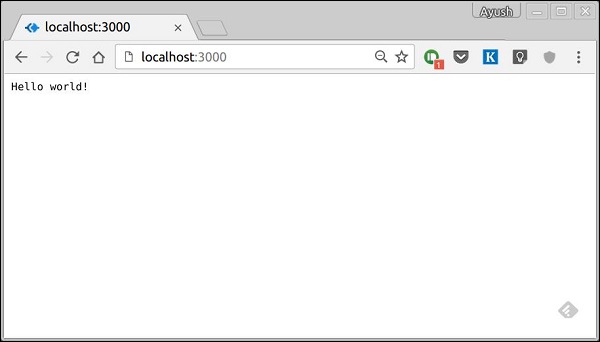
    This will start the server. To test this app, open your browser and go to https://localhost:3000 and you should receive the following message.

    Hello world

    How This App Works?

    The first line imports Koa in our file. We have access to its API through the variable Koa. We use it to create an application and assign it to var app.

    app.use(function) − This function is a middleware, which gets called whenever our server gets a request. We’ll learn more about middleware in the subsequent chapters. The callback function is a generator, which we’ll see in the next chapter. The context of this generator is called context in Koa. This context is used to access and modify the request and response objects. We are setting the body of this response to be Hello world!.

    app.listen(port, function) − This function binds and listens for connections on the specified port. Port is the only required parameter here. The callback function is executed, if the app runs successfully.

  • Environment

    To get started with developing using the Koa framework, you need to have Node and npm (node package manager) installed. If you don’t already have these, head over to Node setup to install node on your local system. Confirm that node and npm are installed by running the following commands in your terminal.

    $ node --version
    $ npm --version
    

    You should receive an output similar to −

    v5.0.0
    3.5.2
    

    Please ensure your node version is above 6.5.0. Now that we have Node and npm set up, let us understand what npm is and how to use it.

    Node Package Manager (npm)

    npm is the package manager for node. The npm Registry is a public collection of packages of open-source code for Node.js, front-end web apps, mobile apps, robots, routers, and countless other needs of the JavaScript community. npm allows us to access all these packages and install them locally. You can browse through the list of packages available on npm at npmJS.

    How to Use npm?

    There are two ways to install a package using npm − globally and locally.

    Globally − This method is generally used to install development tools and CLI based packages. To install a package globally, use the following command.

    $ npm install -g <package-name>
    

    Locally − This method is generally used to install frameworks and libraries. A locally installed package can be used only within the directory it is installed. To install a package locally, use the same command as above without the −g flag.

    $ npm install <package-name>
    

    Whenever we create a project using npm, we need to provide a package.json file, which has all the details about our project. npm makes it easy for us to set up this file. Let us set up our development project.

    Step 1 − Fire up your terminal/cmd, create a new folder named hello-world and cd into it −

    Environment mkdir

    Step 2 − Now to create the package.json file using npm, use the following.

    npm init
    

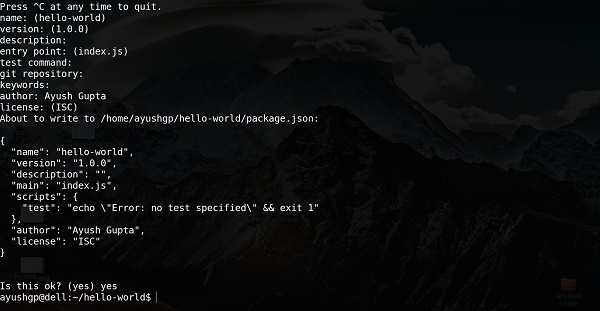
    It’ll ask you for the following information −

    Environment NPM

    Just keep pressing enter, and enter your name in the “author name” field.

    Step 3 − Now we have our package.json file set up, we’ll install Koa. To install Koa and add it in our package.json file, use the following command.

    $ npm install --save koa
    

    To confirm Koa installed correctly, run the following command.

    $ ls node_modules #(dir node_modules for windows)
    

    Tip − The –save flag can be replaced by -S flag. This flag ensures that Koa is added as a dependency to our package.json file. This has an advantage, the next time we need to install all the dependencies of our project, we just need to run the command npm install and it’ll find the dependencies in this file and install them for us.

    This is all we need to start development using the Koa framework. To make our development process a lot easier, we will install a tool from npm, nodemon. What this tool does is, it restarts our server as soon as we make a change in any of our files, otherwise we need to restart the server manually after each file modification. To install nodemon, use the following command.

    $ npm install -g nodemon
    

    Now we are all ready to dive into Koa!