The RxJS is a library that stands for Reactive Extensions JavaScript. It allows you to work with the synchronized data stream.
It is used for “reactive programming”, which is a way to develop an application that reacts to changes instead of explicitly writing code to handle them.
What is Observer Pattern in Angular?
In Angular, the Observer Pattern is a design pattern that allows an object to called the observable from RxJS library to send notifications to multiple observer objects that are interested in the state changes of the observable. This design pattern is useful in managing asynchronous data streams in Angular applications.
The following diagram of the observer pattern will provide you with a clear understanding of how the “publisher” (service) returns the “observable”. The “observable” emits data, and the “subscriber” subscribes to the data to react to changes or updates.
Note: You can have multiple subscribers listening to the same observable
Here,
The publisher is a service that generates data or events. It is responsible for creating and maintaining the Observable.
The observable is an entity that emits the data or events. It represents the data stream that other components can subscribe to.
The subscription is a process by which other components subscribe to the Observable to receive updates. Each subscriber gets notified whenever the Observable emits new data.
The subscriber is a component that subscribes and reacts to the data emitted by the Observable.
Advantages of Observer Pattern
Following is a list of advantages of the Angular Observer Pattern −
Reactive Programming
Event Handling
Error Handling
Improved Testablity
Implementation
Follow the process below to implement the observer pattern in an Angular application:
Let’s set up an angular application using CLI (command line interace) to implement the observer pattern from scratch within this newly created application.Use the steps given below to create a new Angular application:
Step 1: Open the node.js command or code editor (e.g., VS code) terminal and go to your favorite workspace as:
cd /favourite/workspace/ folder_name
Step 2: Install Angular CLI using the following command (see more):
npm install @angular/cli
Step 3: Create a new angular application, myApp as follows:
ng new myApp
Note: Once you hit the above command, it will ask you a few questions and reply with the default answers.
Step 4: Open the AppComponent (app.component.html) file remove everything and place the code below:
<h2>Welcome to Angular Observer Design Pattern</h2>
Step 5: Navigate to your “application directory” as:
cd myApp
Step 6: Run the application to verify it is created successfully:
ng serve
Step 7: Open your preferred browser (e.g., chrome) and navigate to localhost:4200 URL to see the output:
Create Observable Service
Let’s create an Observable service to implement the Observable from the RxJS library. This service will allow you to share data across different components in the application.
Once the above command is executed successfully, you might be able to see “two new files” within your application:
Here,
The first file, observer.service.spec.ts, is a unit testing file (we typically do not make changes in this file).
The second file, observer.service.ts, is where we write all the “logic” and “functionalities”.
Implement Observable in Service
We will define a method, getRandColors() within the service class, which returns an observable. This method will pick and return a random color from the given array when this method is called in the component each time.
Step 1: Open the observer.service.ts file in your code editor and implement the getRandColors() method:
Note: To work with the Observable pattern, make sure the RxJS library is imported into your service class.
Use the Observable Service in Component
As we have implemented the observable in the service class, we will now use the observable service within our root component to access its methods to retrieve the observer value.
Step 1: Open the app.component.ts file, import, and inject the observable service.
Step 2: As the service is already injected via Dependency Injection, now define a method, changeBackground(), access the service method within it, and assign the returned color value to the variable background:
import{ Component }from'@angular/core';import{ CommonModule }from'@angular/common';import{ RouterOutlet }from'@angular/router';import{ ObserverService }from'./observer.service';@Component({
selector:'app-root',
standalone:true,
imports:[CommonModule, RouterOutlet],
templateUrl:'./app.component.html',
styleUrl:'./app.component.css'})exportclassAppComponent{constructor(private myService: ObserverService){}//variable to store the color
background:any;changeBackground(){this.myService.getRandColors().subscribe(color =>{//assigning valuethis.background = color;});}}
Update the Template
Now, let's update the template (app.component.html) to display the observer value initially when the component loads and update it dynamically when the value changes.
Step 1: Open the app.component.html file in your code editor, bind the background variable with the div element using style binding, and create a button to change the background on click:
In Angular, the singleton pattern is a design pattern having a single instance of a class throughout the entire application and provide the global point of access to it.
This design pattern is useful when you want to share a single resource to the entire application such as without recreating it; such as services.
Singleton Services
In Angular, a singleton service is a class defined with the @Injectable decorator, which marks the class as a service in Angular. It is used to share “common logic”, “data”, and “functionality” across various components and services.
This angular feature “enhances” the application performance by reusing the existing code for “common logic” rather than defining the logic in multiple places, and it also decreases the redundancy of code.
To use the singleton service in another component within the same application, we need to use Dependency Injection (another design pattern) to inject and use the service.
Advantages of Singleton Service
Following is a list of advantages of a Angular Singleton Service −
Enhance Application Performance
Globally Access
Dependency Injection Friendly
Resource Management
Easy to Share Data
Implementation
Following is a list of “objectives” that you need to follow to implement the “singleton pattern”:
Let’s create a “new application” using CLI from scratch to implement the singleton pattern (singleton service). This will help you understand the concept better.
Use the steps given below to create a new Angular application:
Step 1: Open the node.js command or code editor (e.g., VS code) terminal and go to your favorite workspace as:
cd /favourite/workspace/ folder_name
Step 2: Install Angular CLI using the following command:
npm install @angular/cli
Step 3: Create a new angular application, myApp as follows:
ng new myApp
Note: Once you hit the above command, it will ask you a few questions and reply with the default answers.
Step 4: Open the app.component.html file remove everything and place the code below:
<h2>Welcome to Angular Singleton Design Pattern</h2>
Step 5: Navigate to your “application directory” as:
cd myApp
Step 6: Run the application to verify it is created successfully:
ng serve
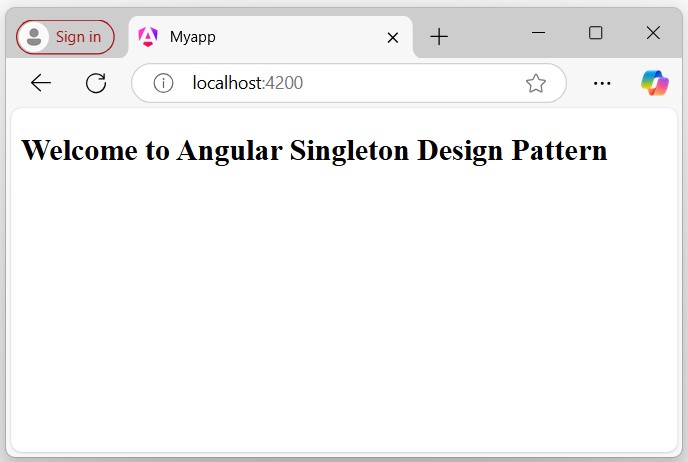
Step 7: Open your preferred browser (e.g., chrome) and navigate to localhost:4200 to see the output:
Create a Singleton Service
In Angular, a service is a class defined with the @Injectable decorator, which identifies it as a service in Angular. Additionally, services are a feature of a mechanism used to share common logic, data, and functionality that can be used across multiple components, directives, and other services.
Services are also used to communicate with servers via RESTful web services.
We will create an Angular service that has a single instance throughout the entire application, which is commonly known as a singleton service (or the singleton pattern).
Step 1: Create a service, myCalc in your angular application as follows:
ng generate service myCalc
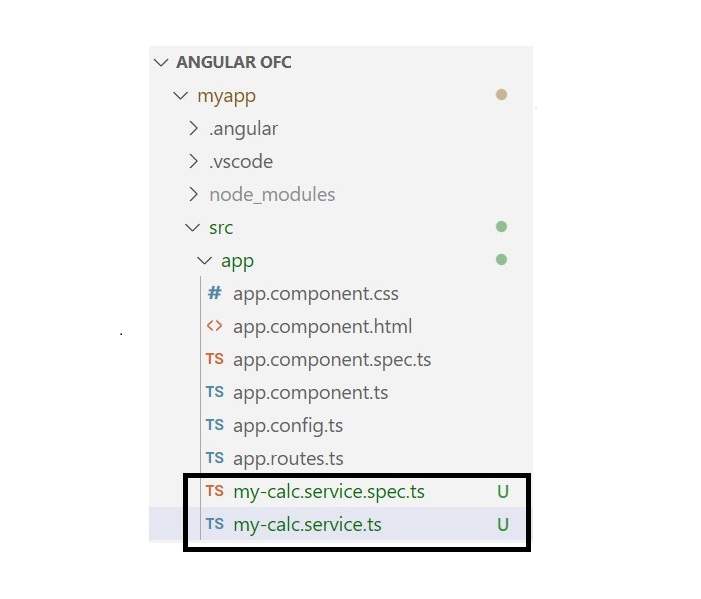
Once the above command is executed successfully, you will able to see “two new files” in your Angular application:
Here,
The first file, my-calc.service.spec.ts, is a unit testing file (we typically do not make changes in this file).
The second file, my-calc.service.ts, is where we write all the “logic” and “functionalities”.
Step 2: Open the my-calc.service.ts file and update with the given code below:
The Dependency Injection (DI) is also a design pattern in Angular used to inject the other “dependencies” into a module or a component rather than creating them individually for each module or component.
Let’s inject the singleton service via Dependency Injection (DI) into our myCalc component to use its functionality, as this component requires its dependencies.
Step 1: Open the calculator.component.ts file in your code editor and place the code below:
In Angular, Lazy Loading is a design pattern developed by the google angular team to “enhance the application performance”. The lazy-loading technique loads only the required components and module at a time rather than loading all together.
For example, suppose you have an Angular application with multiple feature modules, like a dashboard, user profile, settings, and reports. Instead of loading all these modules when the application starts, you can “configure lazy loading” to load these modules only when the user navigates to them.
Implementing Lazy Loading in Angular Project
To implement lazy loading in your project, follow the steps given below:
Note: Once you hit the above command, it will ask you a few questions and reply with the “default answer”.
Step 4: Go to your application directory as follows:
cd myApp
Step 5: Open the app.component.html file, remove everything, and update with the code below:
<h2>Welcome to Angular Lazy-loading Application</h2>
Step 6: Run the application to verify whether it was created correctly:
ng serve
Step 7: Open your friendly browser and navigate to URL localhost:4200 to verify the application has been created successfully.
Create Feature Module with Routing
In Angular, a feature module is a “special module” that organizes reliable blocks of functionality, such as components, directives, services, and pipes, along with their separate routing configurations.
This modularity helps in lazy loading, “improving application performance” by loading feature “modules only when needed”.
Step 1: Create a feature module, auth as follows:
ng generate module auth --routing
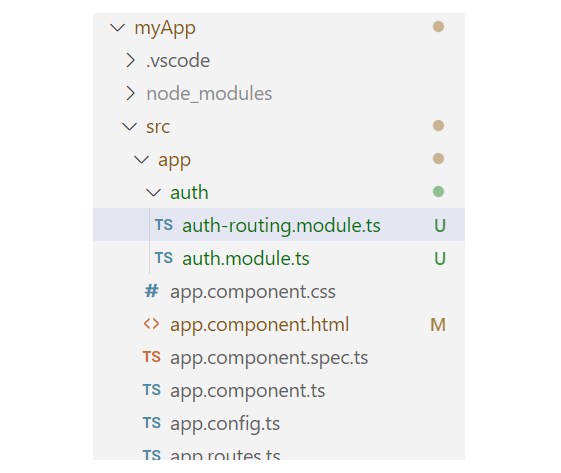
Here, the –routing flag enables “individual routing” for the Auth module. Once the above command is executed successfully, you will see two files within the auth folder:
Step 2: Create a component, login within the Auth module as:
ng generate component login
Create another Feature Module with Routing
Let’s create one more feature module, Dashboard, to observe the changes when we load different modules.
Step 1: Create another feature module, dashboard as follows:
ng generate module dashboard --routing
Step 2: Create a component, home within the dashboard module:
ng generate component login
Handling UI
To make it more understandable, let’s add some UI for different components that belong to individual feature modules.
Step 1: Open the app.component.html file and place the code below:
<h2>Welcome to Angular Lazy-loading Application</h2><a routerLink="/auth">Login</a><a routerLink="/dashboard">Home</a><hr><router-outlet></router-outlet>
Step 2: Open the app.component.css file and place the code below:
Enable lazy loading in Angular, you need to configure routing for both individual components within the feature module and the root routing for the feature modules.
To lazy load Angular modules, use the loadChildren property (instead of component) in your AppRoutingModule (e.g., app.routes.ts file) routes configuration as follows:
Step 1: Open the app.routes.ts file and define the routes for both the feature modules:
Step 4: Run the application using the following command:
ng serve
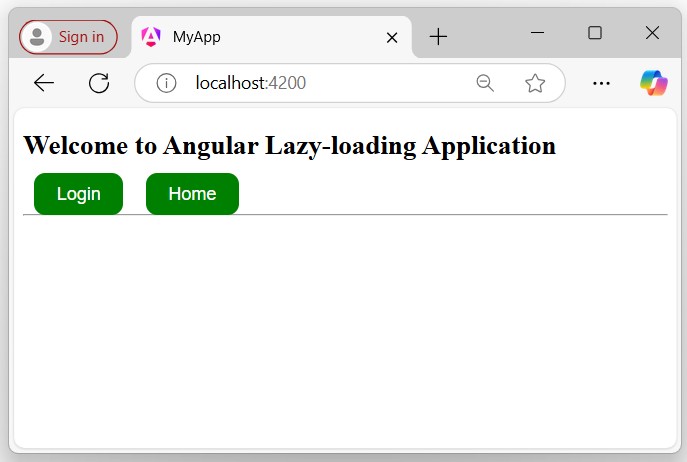
Step 5: Open your friendly browser and navigate to the URL localhost:4200 to get the first look of your application:
Verify Lazy-loading
To verify lazy loading, you need to follow a few steps in your browser where your application is currently running:
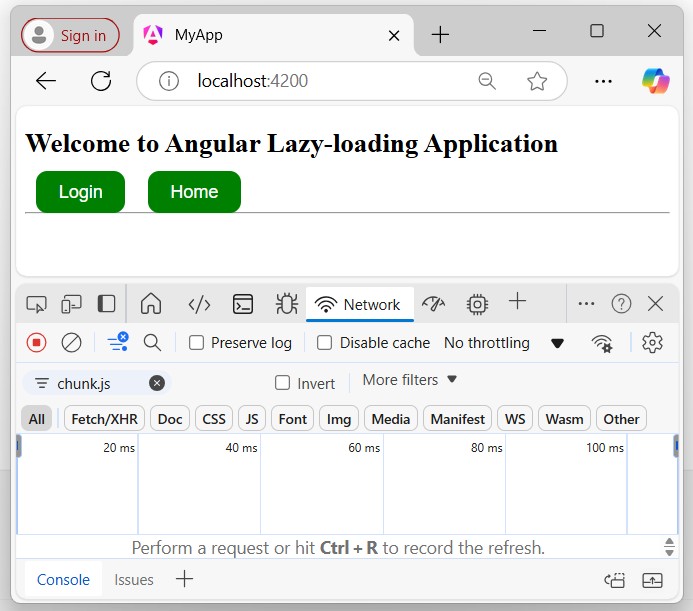
Step 1: Inspect (right-click on your page and click on inspect) the browser page where your application is running and navigate to the Network tab as follows:
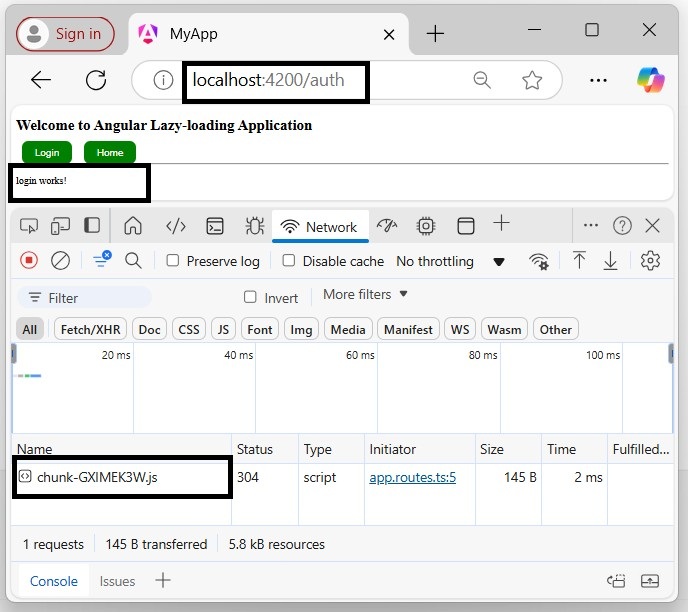
Click on the Login or Home button. If you see a chunk (chunk.js) appear, everything is wired up properly, and the feature module is lazy-loaded. A chunk should appear for “Login” and “Home”, but only once for each.
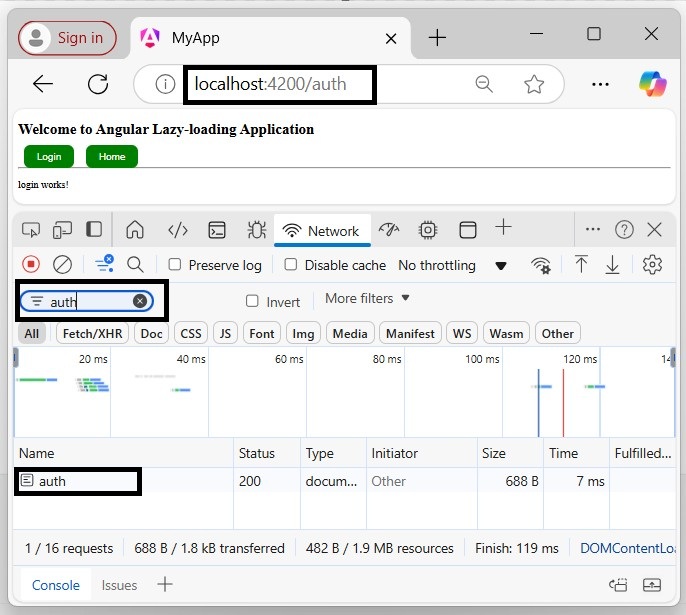
Step 2: Click the login button and recognize the changes:
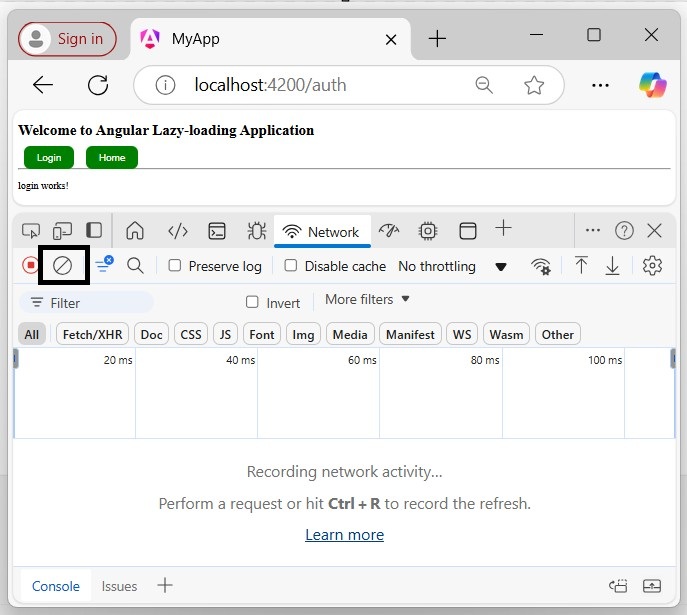
To see it again or to test after making changes, click the circle with a line through it in the upper left of the Network Tab:
Then reload with “Cmd+r” or “Ctrl+r”, depending on your platform.
If you try to filter the module, only the current loaded module will appear in the network section:
forRoot() and forChild()
The forRoot() function is not available in standalone applications. Because, instead of creating an app-routing.module.ts file, the standalone applications generate an app.routes.ts file, which does not require forRoot() function.
The forRoot() function specifies that this is the root routing module. It configures all the routes you pass to it, provides access to the router directives, and registers the Router service. Use forRoot() “only once” in your application within the AppRoutingModule.
The Angular CLI also adds RouterModule.forChild(routes) to your feature routing modules. This way, Angular knows that the route list is only responsible for providing extra routes and is intended for feature modules. You can use forChild() in “multiple” modules.
In software engineering, design patterns are like a reusable blueprint or a template for solving common problems in software design. A few of them might also known as a “software design pattern”.
Design patterns help developers to apply best practices in software development, which enhance the performance, maintainability, and scalability of software applications. By using the specified design patterns, developers can solve common design problems more easily, which can lead to higher-quality software.
Let’s take a simple scenario in an Angular application to understand it better.
Scenario: Singleton Pattern in an Angular Application
Suppose you are developing an Angular application that needs to create a service. You want to ensure that only one instance of the service class is created and used throughout the application. This is where the Singleton pattern comes into action.
Design Patterns in Angular
In Angular, design patterns are known methods (or techniques) for solving common design problems. Applications built using design patterns are more scalable and reliable. Additionally, design patterns also improve the application’s performance by decreasing redundancy and loading components and modules when they are required.
We will discuss some important design patterns in the further chapters in detail, including their usage, syntax to create, advantages, implementation examples, etc.
Types of Design Patterns in Angular
Below is a list of commonly used Design Patterns in Angular application:
Let’s discuss them briefly with a simple code snippet one by one.
Dependency Injection (DI)
In Angular, Dependency Injection (in short, DI) is a “design pattern” in which a class receives its dependencies from an external source instead of creating them itself.
This approach helps applications achieve loose coupling and reduce tight coupling between different parts of the application. By injecting dependencies, applications become more flexible and adaptable to changes.
Example
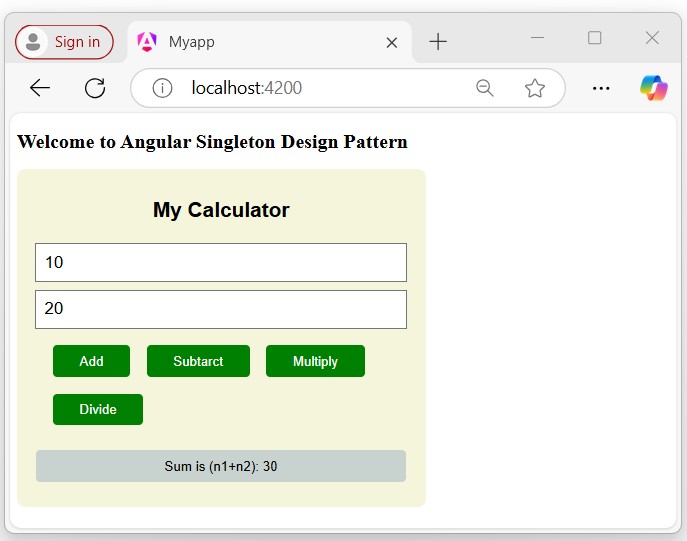
In the following example, you can see that the CalculatorComponent injects the MyCalcService dependencies rather than creating them itself. This service already exists in the application, so we use the Dependency Injection design pattern, which allows us to use this pre-existing dependency.
In Angular, the Lazy-loading is a “design pattern” developed by the google angular team to “enhance the application performs”. The “lazy-loading” technique loads only the required component and module at a time rather than loading all together.
For example, suppose you have an Angular application with multiple feature modules, like a “dashboard”, “user profile”, “settings”, and “reports”. Instead of loading all these modules when the application starts, you can configure lazy loading to load these modules only when the user navigates to them.
Example
In this example, we will define routes for the modules, “Auth” and “Dashboard”. By using the loadChildren property, we will set them as lazy-loaded modules, so they will only load when the relevant route is active in the URL.
For example, if the URL localhost:4200/auth is active, only the “Auth” module will be loaded, and same for localhost:4200/dashboard URL.
In Angular, the Singleton Pattern is a “design pattern” having a single instance of a class throughout the entire application and provide the global point of access to it.
This design pattern is useful when you want to share a common (or single) resource to the entire application without recreating it; such as Angular services.
Example
In the following example, we create a service class (i.e., a class defined by the @Injectable decorator) named MyCalcService, which has root-level access throughout the application.
The “MyCalcService” service class has a single instance within the entire application, which uses the singleton design pattern to share common logic throughout the entire application at the root level.
In Angular, the Observer Pattern is a “design pattern” that allows an object to called the observable from RxJS library to “send notifications” to multiple observer objects that are interested in the state changes of the observable. This design pattern is useful in managing asynchronous data streams in Angular applications.
Example
In the example below, we will define a method, getRandColors() within the service class, which returns an observable.
It uses the Observer design pattern, which involves an “observable” (subject) and one or more “observers” (subscribers) that react to changes or updates when ever the method is called in the component.