With tools like Django’s migrations, developers can track changes to their database schema, making it easier to manage database versions over time.
Author: saqibkhan
-
Signals and Middleware
Django’s signals allow for decoupled components to communicate, while middleware can process requests globally, adding additional functionality like authentication or logging.
-
Set Fields to Display
When a model is registered to Django’s Admin site, its list of objects is displayed when you click the name of the model.
In the following figure, the list of objects in the Employees model is displayed −
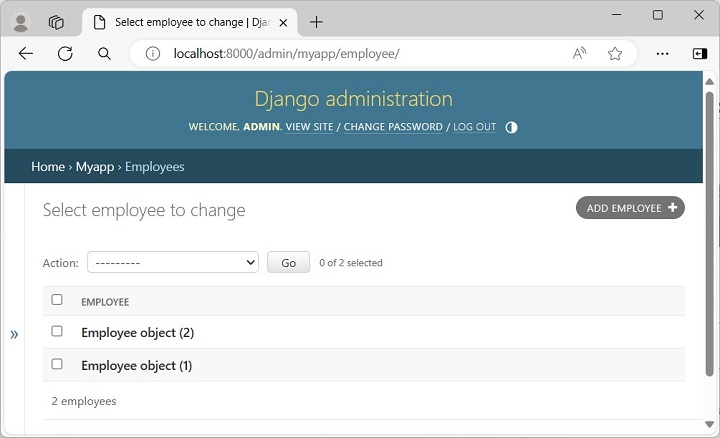
However, the above page shows the objects in the form Employee object(1), which doesn’t reveal the attributes such as the name or contact, etc. To make the object description more user-friendly, we need to override the __str__() method in the employee model class.
The employee class is rewritten as below to give the alternate string representation of its object.
from django.db import models classEmployee(models.Model): empno = models.CharField(max_length=20) empname = models.CharField(max_length=100) contact = models.CharField(max_length=15) salary = models.IntegerField() joined_date = models.DateField(null=True)classMeta:db_table ="employee"def__str__(self):return"Name: {}, Contact: {}".format(self.empname, self.contact)</code></pre>Make these changes to the model definition, and refresh the admin site’s homepage (Start the Django server if it isn’t already running).
Click the Employees model under MYAPP to display the employee object details −
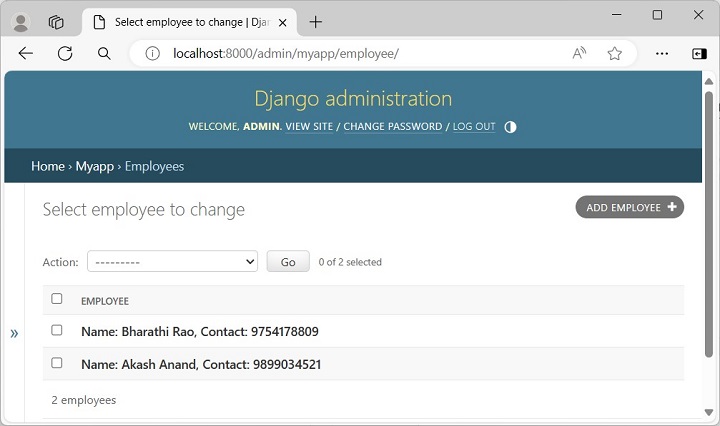
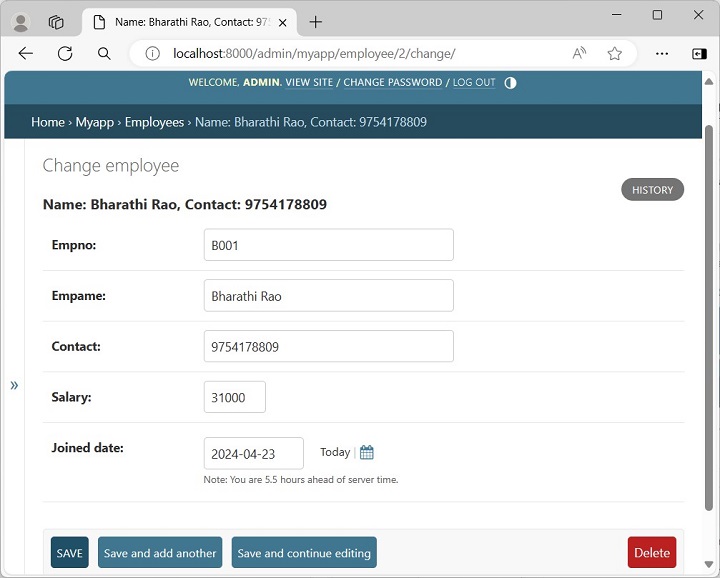
If you click any of the object details, a form that shows the object attributes appears, and you can update the object or delete the object from here.
You can customize the "change list page" with the "list_display" attribute of an admin.ModelAdmin object that specifies what columns are shown in the change list.
The ModelAdmin class is the representation of a model in the admin interface. Usually, these are stored in a file called admin.py in your application.
Define the EmployeeAdmin class by inheriting from the ModelAdmin class. Set the list_display attribute as a tuple of the fields to be displayed.
from django.contrib import admin # Register your models here.from.models import Employee classEmployeeAdmin(admin.ModelAdmin): list_display =("empname","contact","joined_date")Register the EmployeeAdmin class as follows −
admin.site.register(Employee, EmployeeAdmin)You can also register the model using the @admin.register() decorator −
from django.contrib import admin # Register your models here.from.models import Employee @admin.register(Employee)classEmployeeAdmin(admin.ModelAdmin): list_display =("empname","contact","joined_date")Save the above changes and refresh the Admin site to display the list of Employee objects −
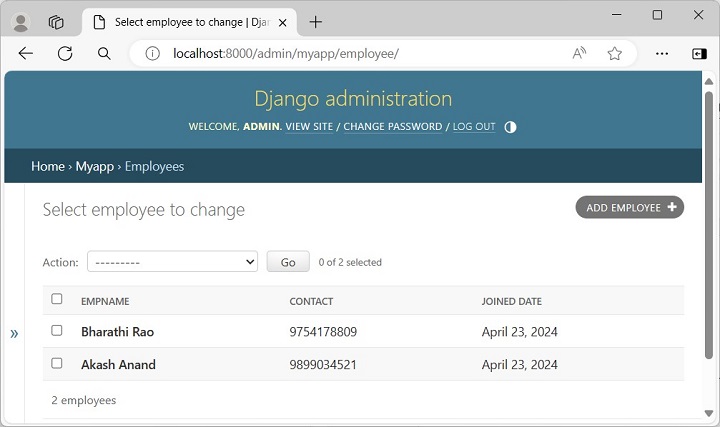
You can also provide a searching facility to the list page. Add search_fields attribute in the EmployeeAdmin class −
@admin.register(Employee)classEmployeeAdmin(admin.ModelAdmin): list_display =("empname","contact","joined_date") search_fields =("empname__startswith",)Now the list page shows a search field on the top. The search is based on employee’s name. The __startswith modifier restricts the search to names that begin with the search parameter.
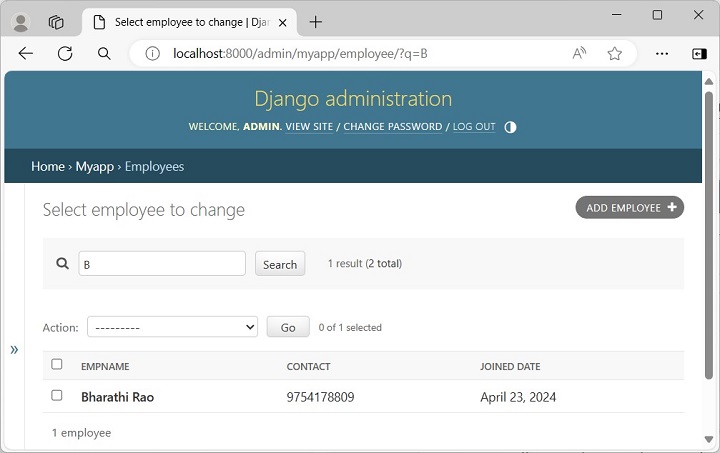
Thus, the Django Admin interface is completely customizable. You can set the fields to be provided in the update form by providing the fields attribute in the admin class.
-
Static and Media Files Management
Django simplifies the handling of static files (CSS, JavaScript) and user-uploaded media files, streamlining the development process.
-
Support for Multiple Databases
Django can work with different relational databases (PostgreSQL, MySQL, SQLite, etc.) and even some NoSQL databases, providing flexibility in data storage.
-
Built-in Caching
Django offers various caching mechanisms (like file-based, database, and memory caching) to improve application performance and response times.
-
Flexible Architecture
Django follows the Model-View-Template (MVT) architecture, promoting a clean separation of concerns, which enhances maintainability and scalability.
-
Mature Ecosystem
With numerous third-party packages available, developers can easily extend Django’s functionality to meet specific needs without having to build from scratch.
-
Internationalization
Django supports multiple languages, making it easier to develop applications for a global audience with built-in translation and localization tools.
-
Testing Framework
Django includes a built-in testing framework to facilitate writing tests and ensuring code reliability.