In this chapter, we will create simple Picker with two available options.
Step 1: Create File
Here, the App.js folder will be used as a presentational component.
App.js
import React from 'react'
import PickerExample from './PickerExample.js'

const App = () => {
   return (
  <PickerExample />   )
}
export default App
Step 2: Logic
this.state.user is used for picker control.
The updateUser function will be triggered when a user is picked.
PickerExample.js
import React, { Component } from 'react';
import { View, Text, Picker, StyleSheet } from 'react-native'

class PickerExample extends Component {
   state = {user: ''}
   updateUser = (user) => {
  this.setState({ user: user })   }
   render() {
  return (
     <View>
        <Picker selectedValue = {this.state.user} onValueChange = {this.updateUser}>
           <Picker.Item label = "Steve" value = "steve" />
           <Picker.Item label = "Ellen" value = "ellen" />
           <Picker.Item label = "Maria" value = "maria" />
        </Picker>
        <Text style = {styles.text}>{this.state.user}</Text>
     </View>
  )   }
}
export default PickerExample

const styles = StyleSheet.create({
   text: {
  fontSize: 30,
  alignSelf: 'center',
  color: 'red'   }
})
Output
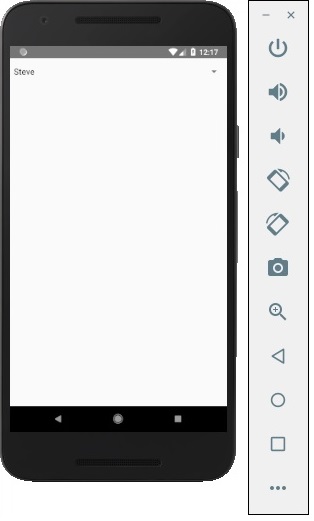
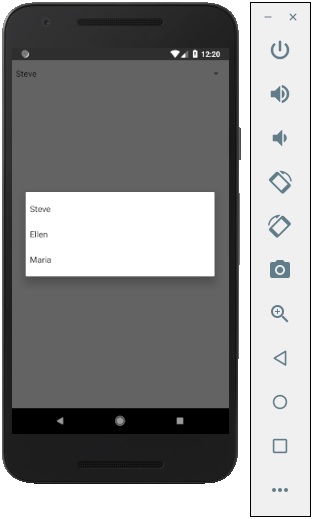
If you click on the name it prompts you all three options as −
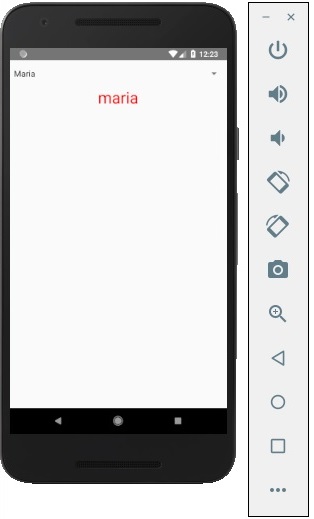
And you can pick one of them and the output will be like.
Leave a Reply